

What is an MLS Database API?
If you've ever tried to find up-to-date property details or run a search for homes in a certain neighborhood, you know how tricky it can be to get good data. That's where an MLS database API comes in. This tool lets you pull property records, listing changes, and market info straight into your app or workflow—no manual searching needed. Whether you're building a real estate website, crunching numbers for investments, or just want to keep tabs on what's selling nearby, an MLS database API makes it a lot easier to access the info you need, when you need it.
Key Takeaways
- An MLS database API gives you direct access to property listings, sales history, and real estate status updates.
- You can filter and search for properties by location, type, price, and other key details using flexible queries.
- Data updates happen often, with active listings refreshed daily and off-market properties updated every few weeks.
- Bulk downloads and scheduled exports help teams work with large sets of property data in their own systems.
- Testing the API is straightforward—trial periods let you check data coverage, field structure, and integration before you commit.
Understanding the MLS Database API

Core Functionality of an MLS Database API
An MLS (Multiple Listing Service) Database API acts as a digital bridge, allowing software applications to access and interact with the vast amount of real estate data collected by an MLS. Think of it as a standardized way for your applications to ask questions and get answers from a massive property information library. Its core job is to provide structured access to listing details, property characteristics, sales history, and more. This means you can build tools that search, filter, and display property information without needing to manually sift through data or build complex data scraping systems. The API handles the communication, so your focus can remain on what you want to do with the data.
Key Features for Real Estate Data Access
When you're looking at an MLS Database API, you'll want to see certain features that make accessing real estate data practical. These typically include:
- Flexible Querying: The ability to search for properties using various criteria is essential. This could mean looking up a specific address, searching within a geographic radius using coordinates, or filtering by listing status (like 'active,' 'pending,' or 'sold').
- Data Filtering and Sorting: Beyond basic searches, you'll need robust options to narrow down results. This includes filtering by price range, property type, number of bedrooms/bathrooms, square footage, and even specific features or amenities.
- Structured Data Output: The API should return data in a consistent, predictable format, usually JSON or XML. This makes it easier for your application to parse and use the information without extensive data cleaning.
- Real-Time or Near Real-Time Updates: For many applications, having the most current data is critical. An effective API will provide information that is updated frequently, reflecting new listings, price changes, and status updates as they happen.
The Role of APIs in Real Estate Technology
APIs are the backbone of modern real estate technology. They enable different software systems to talk to each other, creating a more connected and efficient ecosystem. For instance, a real estate brokerage might use an MLS API to pull listing data directly into their website, ensuring their clients always see the most up-to-date properties. Similarly, a property management software could use an API to access details for maintenance or tenant screening. In essence, APIs democratize access to valuable data, allowing developers to build innovative solutions that were previously difficult or impossible to create. They facilitate everything from simple property searches to complex market analysis tools and automated workflows, driving efficiency and new opportunities across the industry.
Accessing Comprehensive Property Data
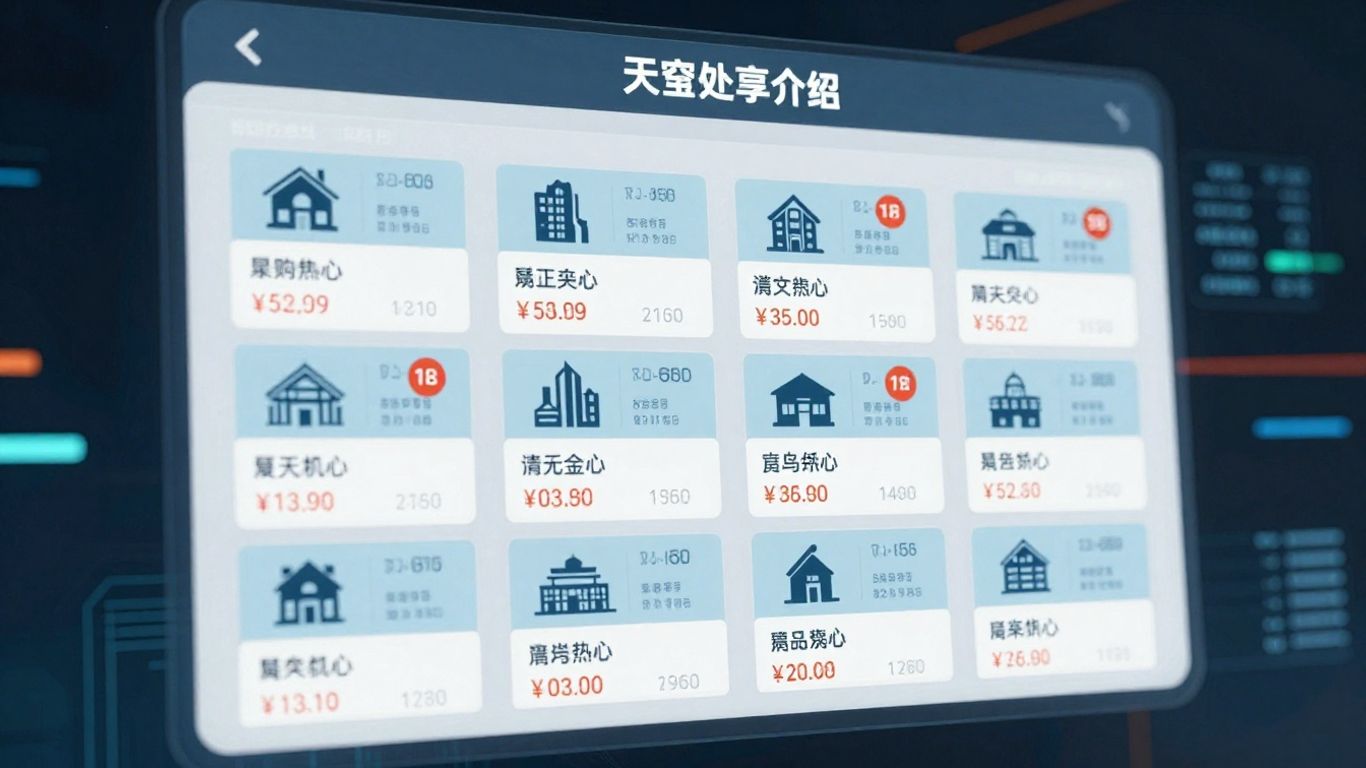
When you work with an MLS Database API, you're essentially getting a direct line to a vast amount of property information. Think of it as having a key to a massive library, but instead of books, it's filled with details about houses, apartments, and commercial spaces. This API makes it possible for you to pull this data and use it in your own applications or analyses.
Leveraging the MLS Database API for Property Searches
One of the main things you'll do with this API is search for properties. You can get pretty specific with your searches, which is really helpful. For example, you can look for properties based on their address, which is straightforward. Or, you can use geographic coordinates and a radius to find everything within a certain area. This is great if you're trying to understand a specific neighborhood or find properties near a particular landmark.
Here are some common ways you can search:
- Address Lookup: Enter a specific street address to get details about that property.
- Geo-based Searches: Use latitude and longitude coordinates along with a distance (like miles or kilometers) to find properties in a defined zone.
- Status Filters: You can search for properties that are currently listed, have recently sold, or are off-market.
- Date Range Filters: Look for properties based on when they were listed or when a transaction occurred.
Filtering and Querying Real Estate Listings
Beyond just basic searches, the API lets you filter the results in many ways. This means you can narrow down the data to exactly what you need. Imagine you're looking for investment properties. You might want to filter by property type (like single-family homes or condos), price range, or even the number of bedrooms and bathrooms. The API is built to handle these kinds of detailed queries, making sure you get relevant results without sifting through tons of irrelevant information.
Data Structure and Field Availability
The data you get back from the API is organized in a structured way, usually in a format like JSON. This makes it easy for computers to read and process. Each property record will have various fields, such as:
- Location Details: Address, city, state, zip code, latitude, longitude.
- Property Characteristics: Square footage, lot size, number of bedrooms, number of bathrooms, year built, property type.
- Listing Information: Listing status (active, pending, sold), listing price, days on market.
- Transaction History: Sale price, sale date, previous owners.
- Tax Information: Assessed value, property taxes.
Knowing what fields are available is important because it tells you what kind of analysis or application you can build. The API documentation will usually provide a full list of all the fields you can access, so you'll know exactly what data points are at your disposal.
Real-Time Data Updates and Freshness
When you're working with real estate data, knowing how current it is matters a lot. You don't want to be making decisions based on old information, right? The MLS Database API is designed to give you up-to-date property details, but it's good to know how often things actually change.
How Often MLS Data Is Updated
Generally, properties that are actively on the market, like those listed for sale or recently sold, get updated within a 24-hour period. This means new listings, price adjustments, or status changes should appear pretty quickly. For properties that aren't currently listed for sale (off-market), the updates happen less frequently, typically every 3 to 4 weeks. These updates cover a range of changes:
- New listings hitting the market.
- Changes to property prices.
- Updates to tax and assessment records.
- Transaction events, like sales closing.
- Modifications to property characteristics.
- New construction or inventory additions.
This schedule helps keep the data relevant, especially in areas where the market moves fast.
Near Real-Time Listing Changes via API
The API is built to reflect these updates as they happen. You can expect to see changes in listing status, price adjustments, and other key details reflected in the data you pull through the API. This near real-time capability is important for applications that need to react quickly to market shifts, such as automated alerts or dynamic pricing tools. It means your systems can stay synchronized with the latest activity without significant delays.
Impact of Data Cadence on Market Analysis
The frequency of data updates directly affects how accurately you can analyze the real estate market. If you're tracking market trends, evaluating investment opportunities, or performing comparative market analyses, having data that's only a day or two old makes a big difference. For active markets, the 24-hour update cycle is usually sufficient. However, for longer-term trend analysis or when looking at less active property types, the less frequent updates for off-market properties might be something to consider. Understanding this cadence helps you set realistic expectations for data freshness and interpret your analysis results correctly.
Integrating MLS Data into Applications
Bringing MLS data into your own systems can really open up possibilities. It's not just about looking at listings anymore; it's about making that data work for you in custom ways. Whether you're building a new real estate platform, adding features to an existing one, or just need to get the data into your internal databases for analysis, there are a few main ways to go about it.
API-Driven Scheduled Exports for Ingestion
If your team needs to regularly pull large amounts of MLS data into your own databases or data warehouses, setting up scheduled exports through the API is a smart move. Think of it like setting up an automatic delivery service for your data. You can configure the system to send you updated datasets on a schedule that makes sense for your workflow – maybe every night, or perhaps once a week. This is super helpful for keeping your internal systems current without you having to manually do anything each time. The data usually comes in a standard format, like CSV files, which makes it pretty straightforward to load into whatever system you're using.
Using the MLS Database API for Bulk Data Access
Beyond just scheduled exports, the API also lets you request bulk data access directly. This is different from just pulling a few listings at a time. When you need a massive dataset – maybe for a whole city, a specific zip code, or based on a complex set of filters you've defined – a bulk data request is the way to go. These requests can be for one-time pulls or set up as recurring exports. The data you get back is typically structured in a way that's easy to process, often in CSV or JSON format, so you can get right to analyzing it or using it to build out your applications.
Developer Resources and Documentation
Getting all this data integrated isn't something you have to figure out alone. The providers of MLS database APIs usually offer a good set of resources to help you out. This typically includes detailed API documentation that explains all the different endpoints, parameters you can use for searching and filtering, and what the data responses will look like. You'll often find schema references that break down every field in the data, code examples to get you started, and sometimes even guides for common use cases. Having access to this documentation is key to making the integration process smoother and faster. If you run into issues, there might also be support channels or forums where you can get help from the provider or other developers who are using the API.
Use Cases for MLS Database API Data
The data you can access through an MLS Database API is incredibly versatile. It's not just for real estate agents; many different types of professionals and businesses can find significant value in this information. You can use it to understand market trends, identify investment opportunities, or even to help prevent fraud.
Real Estate Investing and Market Analysis
For investors, property data is the bedrock of decision-making. You can analyze neighborhoods to see price trends and identify areas that might be undervalued. The API allows you to monitor changes in property status, which can signal shifts in the local market. This kind of detailed information helps you make more informed choices about where and when to invest. You can also perform comparable property analysis, looking at recent sales of similar homes to gauge a property's true market value. This detailed view helps in finding potential deals or understanding the competitive landscape.
Sales, Marketing, and Underwriting Applications
Sales and marketing teams can use MLS data to target their efforts more effectively. By filtering properties based on type, value, or ownership attributes, you can create more precise marketing campaigns. For underwriting and lending, the data is vital for evaluating collateral. You can verify property characteristics during the loan origination process and review transaction histories to spot any unusual patterns. This helps in assessing risk and making sound lending decisions. For instance, you might use the API to check if a property's listed features match the details in your loan application, reducing potential errors. The ability to access San Diego MLS data can be particularly useful for local market analysis.
Risk Management and Site Selection with Property Data
Risk management professionals can use property data to identify potential exposures. This might involve spotting rapid changes in property ownership, which could indicate a higher risk. You can also analyze neighborhood risk patterns or verify occupancy states. For businesses looking to expand, property data is key for site selection. Understanding zoning insights, commercial density, and population adjacency helps in choosing the best locations for new offices, retail stores, or other facilities. This data-driven approach can significantly improve the success rate of new ventures.
Testing and Implementing an MLS Database API
Before you fully commit to integrating an MLS Database API into your systems, a thorough testing phase is absolutely necessary. This isn't just about seeing if the API works; it's about confirming it meets your specific needs and performs reliably under expected loads. Think of it like test-driving a car before you buy it – you want to make sure it handles well, has all the features you need, and feels right for your daily use.
Testing API Functionality During a Trial Period
Most reputable API providers offer a trial period, and this is your prime opportunity to put the MLS Database API through its paces. During this time, you should:
- Make Authenticated API Calls: Verify that you can successfully connect and authenticate with the API. This confirms your credentials are set up correctly and the basic connection is stable.
- Test Filtering and Parameter Structures: Experiment with various search parameters and filters. Can you accurately narrow down listings by specific criteria like location, price range, property type, or days on market? This is where you confirm the API's search capabilities align with your intended use.
- Run Example Queries: Utilize any provided example queries to understand the expected response format and data structure. This helps you anticipate how the data will look when it comes back.
- Explore Response Formats: Examine the data returned by the API. Does it include all the fields you require? Is the data structured in a way that makes sense for your application or analysis? You'll want to confirm that the data is clean and ready for use, or at least requires minimal preprocessing.
- Validate Data Fit: Most importantly, assess if the data returned actually fits your workflow. Are you getting the insights you need? Does the data quality meet your standards for accuracy and completeness? This is the core of your testing.
Remember, the API typically functions the same during the trial as it will with a paid subscription. This means you get a true preview of its capabilities. You can even start exploring property market API options for investment platforms during this phase to compare features.
Understanding Record Volume and Pricing Models
As you test, pay close attention to how record volume is measured. Typically, each property record you retrieve through portal searches, API calls, or bulk downloads counts towards your usage limit. This is important for understanding the cost implications. Pricing models are often volume-based, meaning the more data you access, the higher the cost. It's wise to get a clear picture of this upfront to budget effectively. Many providers offer tiered plans or custom pricing for higher volumes, so you can scale as your needs grow. Don't hesitate to ask about different plans and how they align with your projected usage.
Seamless Transition to Production Subscriptions
Once your trial period concludes, or once you've confirmed the API meets your needs, the transition to a production subscription should be straightforward. Your account typically remains active, and all your saved searches and settings from the trial period are preserved. This allows for a smooth handover from testing to live implementation. You can usually upgrade your plan at any time, ensuring that as your data requirements evolve, your subscription can adapt without interruption. The goal is to move from evaluation to active use with minimal friction, allowing you to immediately benefit from the MLS data.
Getting started with a new MLS Database API should be simple and stress-free. We make it easy for you to test and set up your system quickly. Visit our website today to request a demo, and see firsthand how our tools can help you get the data you need. Our team is ready to walk you through every step and answer your questions in a live demo session. Don’t wait—let us show you how easy it is!
Bringing It All Together
So, that's the rundown on MLS Database APIs. You've seen how they can really help out with all sorts of tasks, from keeping tabs on property listings to digging into market trends. Whether you're building an app, doing some research, or just trying to keep your own data up-to-date, having access to this kind of information through an API makes things a whole lot easier. It's like having a direct line to a massive library of real estate data, ready whenever you need it. Just remember to check out the documentation and maybe start with a trial to see how it fits into what you're doing.
Frequently Asked Questions
What is an MLS Database API?
An MLS Database API is a tool that lets you connect your apps or websites directly to a large database of real estate listings. This API gives you access to property details, listing history, and updates, so you can search, filter, and show real estate data in real time.
How often does the property data update?
Property data updates quickly. Listings that are for sale or recently sold are refreshed every 24 hours. Other off-market properties get updated every 3 to 4 weeks. This helps make sure you see the newest changes, like price drops or new homes on the market.
Can I use the MLS Database API to download large sets of property data?
Yes, you can. The API supports bulk downloads, which means you can get lots of property records at once. You can set up scheduled exports to automatically download fresh data every night or week, making it easy to keep your systems up to date.
How can I test the MLS Database API before buying a subscription?
You can start with a free trial. During the trial, you can make real API calls, try out filters, and explore the data structure. The trial lets you see if the API fits your needs before you decide to pay for a full subscription.
How is the cost of using the MLS Database API calculated?
The cost is based on how many property records you use each month. Every record you get from a search, API call, or bulk download counts toward your monthly total. You can pick a plan that matches your needs and change it if your usage goes up or down.
What can I do if I need property data for a special project or a custom area?
You can request custom bulk data. This means you can ask for large datasets for specific cities, states, or even the whole country. You can also apply custom filters, and the data will be sent to you in a standard format like CSV or JSON.
Read the latest articles

Read more

Product Data API for Ecommerce Price Monitoring and Repricing

Real-Time Product Data API for Product-Led Growth Teams

Property Ownership Data API for Skip Tracing and Lead Gen

How APIs Make Building a Product Database Easy
Learn how to build a product database with APIs for cleaner imports, updates, search, and scalable product data.

What Is Property Transaction Data and How Does an API Help Get It?
Learn how property transaction data works and how APIs provide structured access for analysis and workflows.

How to Use Real Estate Transaction Data
Learn how to use real estate transaction data for analysis, valuation, underwriting, and market decisions.

How to Leverage Competitor Pricing Data with an API
Use competitor pricing data to build API-driven monitoring, analysis, and smarter pricing decisions.

Price Monitoring API: The Key to E-Commerce Pricing Strategy
Use a price monitoring API to track market changes, improve pricing decisions, and protect ecommerce margins.

How do Product Data APIs Work for E-Commerce Companies?
Learn how a product data API works, from collection and queries to ecommerce integration and use cases.

Bulk Real Estate Data Licensing: Access Datasets at Scale

How to Integrate MLS Listings Using an MLS Data API

GTIN Lookup API: Search Products by Barcode & UPC at Scale

Best Real Estate API 2026: Coverage, Pricing, Data Quality

Best Product Data API 2026: A State-of-the-Market Guide

Product Data API Integration Patterns for Ecommerce Platforms

Build a PropTech MVP With a Property Ownership Data API

3 Benefits of Web Scraping for Real Estate
Boost your research by using web scraping for real estate to gain market insights, automate lead lists, and minimize property risk.
How Real Estate Agents Can Leverage Proptech Data
Leverage proptech data to source leads, speed up valuations, and manage risk with accurate, real-time property insights.

What Is a UPC Lookup API?
Learn about the UPC lookup API, how it works, and its benefits for businesses. Get product data easily.

What Is a GTIN Lookup API?
Learn about the GTIN lookup API and how it can help your business grow. Get product data insights.

How Does a Property Data API Work?
Learn how a property data API works, its features, and how you can use it for real estate and business insights.

What The Best Real Estate APIs Should Have
Discover what makes the best real estate APIs stand out. Learn about essential features for your property data needs.

The Benefits of a Real Estate MLS API
Learn about the benefits of a real estate MLS API for streamlining data access and driving business growth.

Why Every Real Estate Pro Needs an MLS Database API
Learn why a MLS database API is vital for real estate pros. Get data, insights, and competitive edge.
How to Access MLS Listing Data
Learn how to access MLS listing data using an MLS data API. Discover Datafiniti's solutions and integration tips.
.png)
How to Enrich Your Product Catalog With a Real-Time API
.jpeg)
Product Data API Buyer's Guide for Ecommerce Teams

Do I Need a Real Estate Listing API?
Explore the benefits and technicalities of a real estate listing API. Learn how to choose the right provider and integrate data for business growth.

Unlocking the MLS Database with APIs
Unlock the MLS database with APIs. Learn how to access property data, gain real estate insights, and integrate MLS data for your business needs.

Why Real Estate Tech Startups Need Property APIs with Ownership Details
Discover how property APIs with ownership details empower real estate tech startups. Learn about data integration, risk mitigation, and driving business value.
The Value of a Product Catalog Sync for Product Managers
Unlock the value of product catalog sync for product managers. Streamline data, improve decisions, and reduce costs with real-time insights.

What is a Product Data Webhook?
Learn about product data webhooks, their components, and how they enable real-time updates for business intelligence and workflow automation.

Why Is a Product Data API Integration Essential for Analysts & Product Managers?
Unlock insights with product data API integration. Essential for analysts & product managers to streamline data access & enhance product strategy.

What Is a Product Data API and Its Benefits
Learn about product data APIs, their benefits, and how they drive business growth. Explore integration and advanced use cases.

What Do eCommerce Data Vendors Do?
Learn what ecommerce data vendors do, their services, and how to choose the right one for your business growth.

How to Compare Product Data Providers: What to Look For
Compare product data providers. Learn what to look for in data quality, structure, and integration features.

How to Get Your Product Data in Real-Time Using APIs
Learn how to leverage real-time product data APIs for e-commerce, competitive analysis, and AI. Get instant access to clean, structured product data.

Best Product Data API: Features to Look for
Find the best product data API with real-time updates, comprehensive coverage, and a user-friendly portal. Explore features to look for.

Unlocking Property Data with an API
Access property data with a powerful property database API. Explore listings, market analysis, investment opportunities, and more. Get started today!

Unlocking CRE with APIs
Unlock commercial real estate insights with a powerful API. Access property data, streamline workflows, and enhance investment strategies.

How to Get a Real-Time Product Feed Using an API
Learn how to get a real-time product feed using an API. Access, leverage, and ensure accuracy of product data for your business needs.

Spying on Competitor Prices: What You Need to Know
Learn how to gather and analyze competitor pricing data to inform your business strategy. Understand key components and ethical considerations.

Product Data Enrichment: What Are You Missing?
Enhance your product data with comprehensive enrichment. Discover insights, drive growth, and choose the right approach for your business.
.png)
IDX vs MLS API: A Developer's Guide to Real Estate Listing Data
.png)
Real Estate API Pricing Models Explained: Subscription vs. Usage-Based

Real Estate API vs Web Scraping: Which Wins in 2026?
.png)
Product Data APIs Explained: Powering Product Search and Catalog Automation

Best Sources for Bulk Real Estate Transaction Data

How to Get the Most out of a Product Catalog API
Learn how to leverage a product catalog API for business growth. Discover data quality, access methods, and strategy for your product catalog API.

Taming Your Ecommerce Product Data Feed
Optimize your ecommerce product data feed for growth. Learn strategies, leverage technology, and ensure data quality for better customer experience and AI initiatives.

Streamlining Your Product Search with an API
Explore the benefits and integration of a product search API. Streamline your product discovery and leverage data for business growth.
.png)
Real Estate Transaction Databases: What You Need to Know
.png)
Best MLS API for Real Estate Software: What Developers Need

How Real Estate Platforms Access MLS Database APIs
.png)
Commercial Real Estate API vs. Residential Property API
.png)
How to Choose a Real Estate Database API for Your MVP
MLS API vs. IDX: What's the Diff?
MLS API vs IDX: Explore the differences in real estate data access, retrieval, and integration. Understand which solution fits your needs.

Scraping vs. APIs: Getting Real Estate Data
Compare web scraping vs real estate API for data acquisition. Learn the pros, cons, and best use cases for each method.

Cracking the Code: Housing Sales Insights
Unlock housing sales analytics insights with Datafiniti. Explore property data, market trends, and advanced techniques for strategic decisions.

Property Valuation API: Your Go-To Real Estate Tool
Leverage the property valuation API for real estate insights. Access comprehensive property data for diverse applications with Datafiniti.

Product Data APIs Explained
Learn about product data APIs explained. Discover how to access, integrate, and utilize product data for e-commerce, analytics, and more.

Unlocking Your Ecommerce Data with APIs
Unlock ecommerce data with APIs for business insights, product catalog enrichment, and competitive analysis. Explore data via portal or API.

Your Guide to Housing Sales APIs
Explore housing sales API data for insights. Access property data, integrate into applications, and gain business intelligence. Get started today!

Real Estate Ownership Data: How to Access, Analyze and Use at Scale
Access, analyze, and use real estate ownership data at scale. Learn how to find, process, and leverage this crucial information for business insights.

Unlocking Opportunities: Navigating Bulk Real Estate Transaction Data
Unlock opportunities with bulk real estate transaction data. Learn how to access, analyze, and leverage property data for investing, marketing, and more.
What Is a Property Sales Database?
Explore what a property sales database is, its core components, how to access data, and key use cases for real estate analysis and more.

Benefits of Obtaining Housing Transaction Data
Unlock insights with housing transaction data. Analyze markets, investments, sales, and risk. Get comprehensive property data for informed decisions.

Understanding Real Estate Transaction Databases

IDX vs MLS API: What Every Real Estate Professional Should Know
Understand IDX vs MLS API differences. Learn about data access, integration, and how Datafiniti's solutions empower real estate professionals.

What Is an MLS Database API?
Explore the MLS database API: understand its components, benefits, and how to access real estate data for various applications. Learn about its core functionality and technical aspects.

How a Property Database API Can Help Real Estate Pros
Learn how a property database API can help real estate pros analyze trends, monitor listings, and optimize strategies. Get data insights.

What Is a Residential Property API?
Explore what a residential property API is, its features, benefits, and real-world applications for real estate professionals and investors.

What Is a Commercial Real Estate API?
Explore commercial real estate API functionality, data integration, and use cases. Learn how to leverage property, business, and people data for insights.

Understanding MVP Data Integration
Learn about MVP data integration, its components, benefits, and strategies for accessing and utilizing data resources effectively.

How to Choose the Best Property Data API
Learn how to choose the best property data API. Explore features, providers, pricing, and integration for real estate insights.

Real Estate Database API: What to Look for
Explore real estate database API options. Learn about data quality, features, and how to choose the right provider for your needs.
.png)
Real Estate Transaction Database: An API Access Guide

How Do Product Data APIs Work?
Understand how a product data API works, its key features, integration methods, and applications for e-commerce and business intelligence.

How Do Data Aggregation Platforms Work?
Explore how data aggregation platforms work, their capabilities, and applications. Learn to choose and implement the right platform for your business intelligence needs.

Why Do Companies Need Property Data Aggregation?
Discover why property data aggregation is crucial for businesses. Streamline access, empower functions, enhance risk management, and drive strategic decisions with authoritative insights.

MLS API: The Complete Guide to Accessing MLS Listing Data

Product Search API vs. Product Data API: What's the Difference?

What Are the Best MLS Data API Features to Look For?
Discover the best MLS data API features, including real-time updates, bulk downloads, and flexible filtering for property data.

What Is a Product Data API?
Explore the functionality and benefits of a product data API. Learn how to integrate, leverage, and choose the right provider for your business insights.
What Is the Difference Between Product Search API and Product Data API?
Understand the difference between Product Search API and Product Data API. Learn how to leverage product data for business intelligence and analytics.

Guide to Accessing Real Estate Transaction Database Via API
Access real estate transaction data via API. Explore property insights, sales, underwriting, and advanced applications with our authoritative guide.

Is a Real Estate MLS API Beneficial?
Explore the benefits of a real estate MLS API for enhanced data access, streamlined workflows, and market responsiveness. Learn about key features and use cases.
What is an MLS Database API?
Explore the MLS database API for comprehensive property data access. Learn about its core functionality, key features, and integration into real estate technology.

What Is a Property Data API?
Explore the capabilities of a property data API. Understand its core functionality, key features for developers, and how to access property information at scale for business insights.
.png)
Real Estate API Pricing: What You Need to Know Before You Build
.jpeg)
How to Choose a Property Market API for Investment Platforms
Choosing the right property market API is critical for investment platforms. Learn how to evaluate data depth, coverage, freshness, and integration quality before you commit.
Data you can trust, delivered in a format your systems can use, at the scale your product requires.